
Events
Events are where Founder Festival comes to life: curated IRL gatherings of founders and investors, from dinners and mixers to partner-friendly evenings and family days. This page covers what to expect as an attendee and how to make the most of every event.
The attendee experience
Founder Festival events are invite-by-score: your profile's scores and signals determine which events you qualify for. That's why claiming and keeping your profile accurate pays off: a stronger, verified profile unlocks more rooms. You can see which events you qualify for from your events list; if you're just getting started, "Check My Score" points you in the right direction.
Once you're in, each event page is your hub for the gathering: details, photos, fellow attendees, the Chat, and your connections all in one place.
RSVP and access
When you qualify for an event, you RSVP to confirm your spot. Access to the richest parts of an event, the full attendee directory, the Chat, and attendee-only content, is reserved for confirmed attendees. Some details (like certain photos) are tiered: visible to the public, to claimed members, or to attendees only. RSVPing is what moves you into the inner circle for that event.
The event Chat
Every event has its own Chat: a forum that sits right above the attendee list. It's the place to introduce yourself before the event, coordinate logistics, ask questions, and keep the conversation going afterward. You can mention other attendees to bring them into a thread. The Chat is part of the attendee experience, so it's available to people who've RSVP'd.
Connecting with attendees
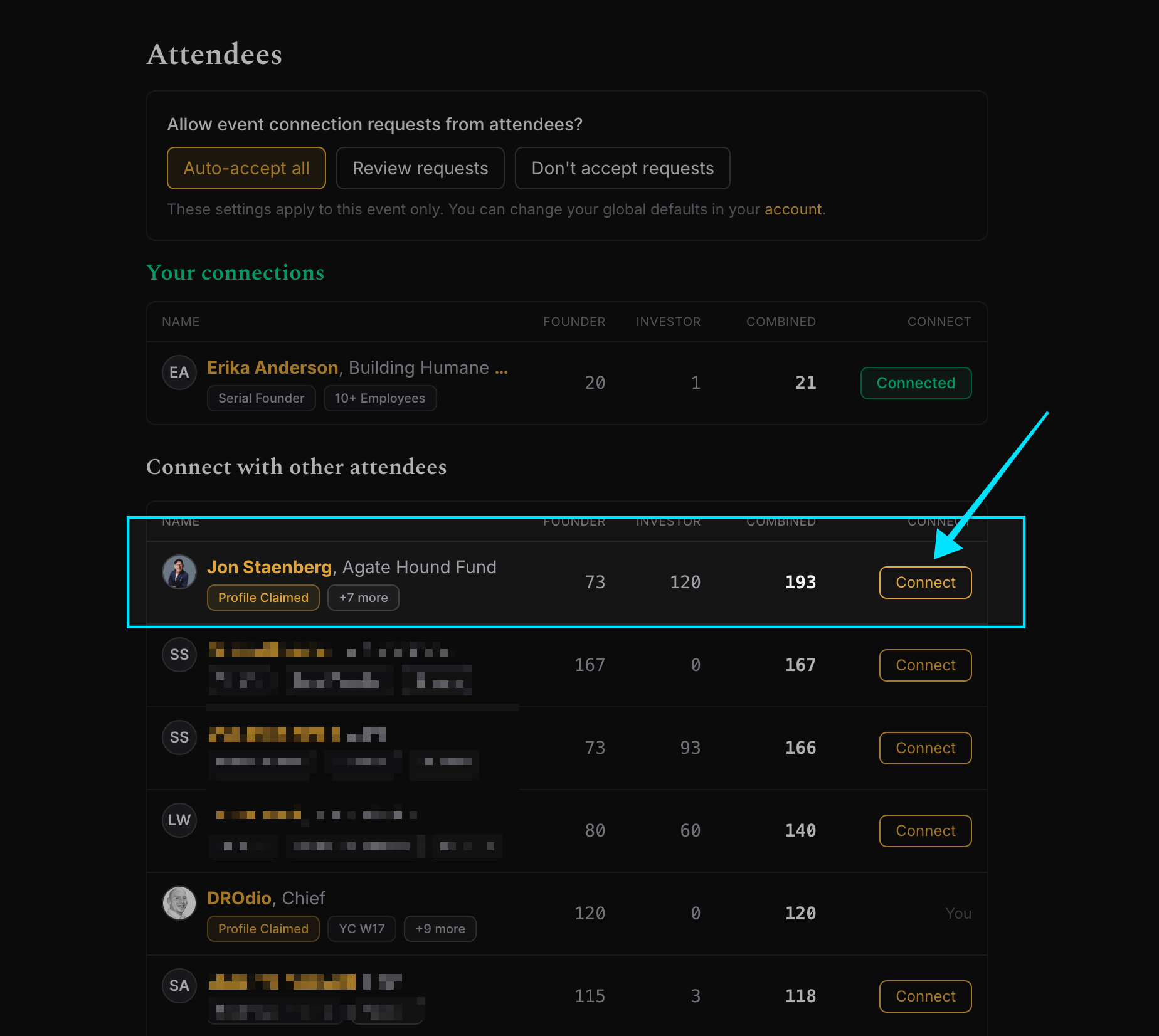
The heart of every event is who you meet. The attendee list shows everyone attending, ranked the same way as the Leaderboard, so you can quickly spot people you'd like to know.
- Initiating a connection. Click Connect on an attendee to send them a connection request. Depending on their preferences, it may be auto-accepted, declined, or held for their review.
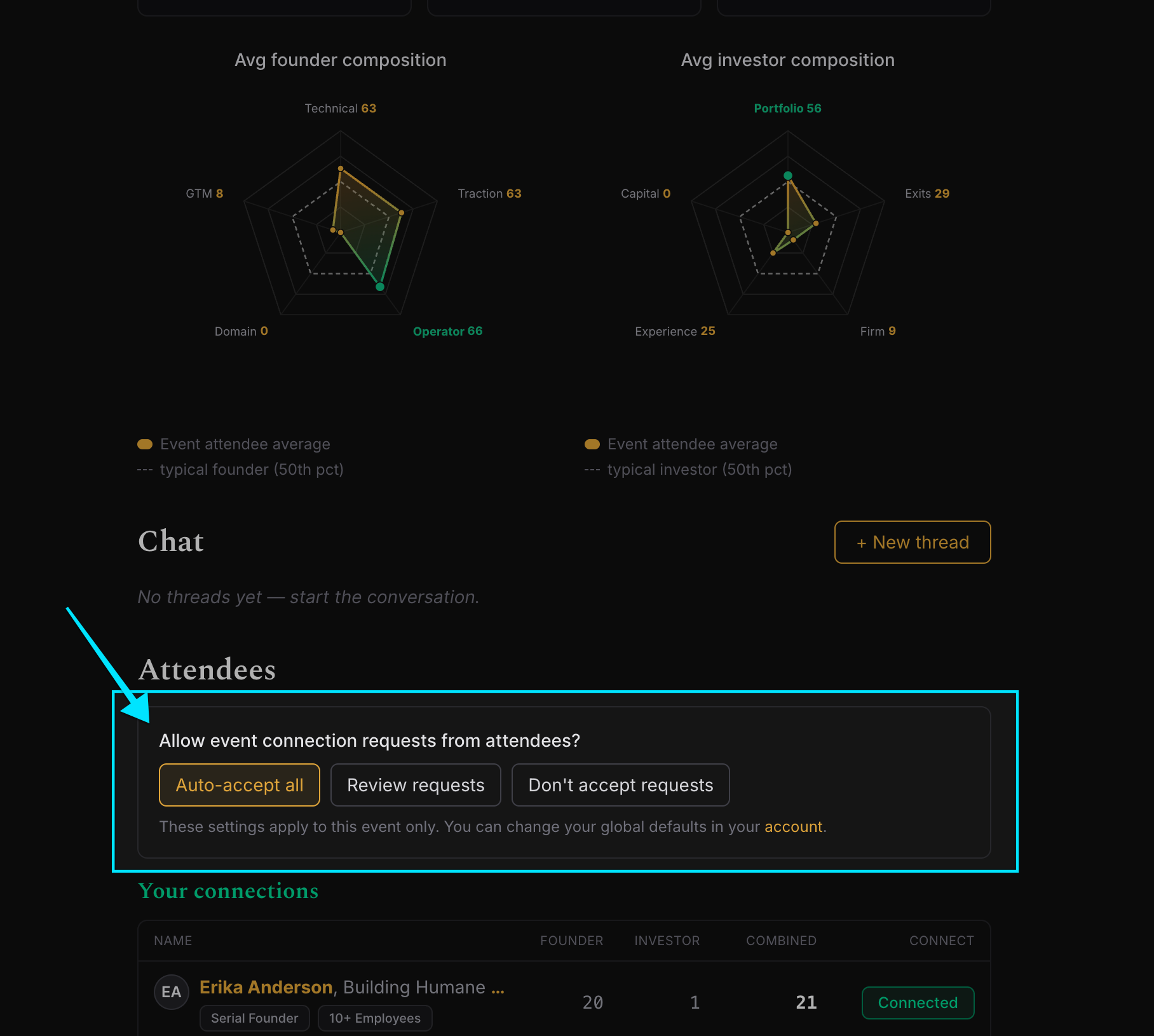
- When someone connects with you. You'll be notified and can review pending requests in your connection inbox, choosing to approve or decline each one. You can also set a preference, auto-accept all, review each request, or don't accept, globally or per event, so connecting works the way you want.
- What it means. When a connection is approved, both people receive a friendly introduction over email, with links to each other's profiles and the event. That double-opt-in intro is the official handoff: no one's contact details are shared without consent. (If you'd rather be openly reachable, you can choose to share your contact info with all attendees; otherwise it's by request only.)
Following up
Your approved connections are gathered into a Your connections view on the event page, kept separate from people you can still reach out to, so following up after the event is easy. The email introduction gives you everything you need to continue the conversation, and you can revisit the event page anytime to find the people you met. If a connection no longer fits, you can disconnect, and reconnect later if you change your mind.
Related pages
- Quickstart: how scoring connects to invitations
- Profiles: understand who you're meeting
- Account: add family/partners for family-friendly events